Family Hub+
For the one who keeps track of everything

You're holding the whole family in your head. Put some of it down.

Family Hub+ is one shared place for the calendar, the chores, the meals and the birthdays you can't forget — so it isn't all living in one person's memory.

Download on theApp Store

Free for 14 days, no card up front. Already have an account? Sign in.
Everyone sees the same calendar, synced from Google and Outlook Works on the kitchen iPad and everyone's iPhone No ads, no trackers, nothing sold
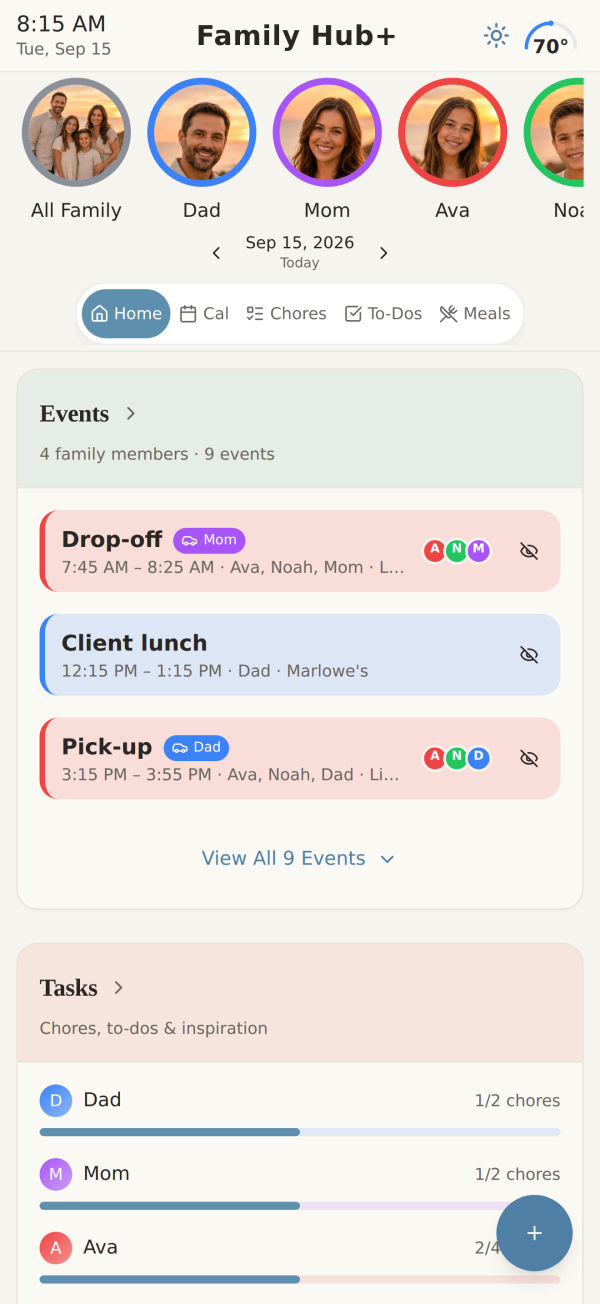
The Home screen on iPhone

Today at a glance — who's going where, what's left to do, and what's for dinner

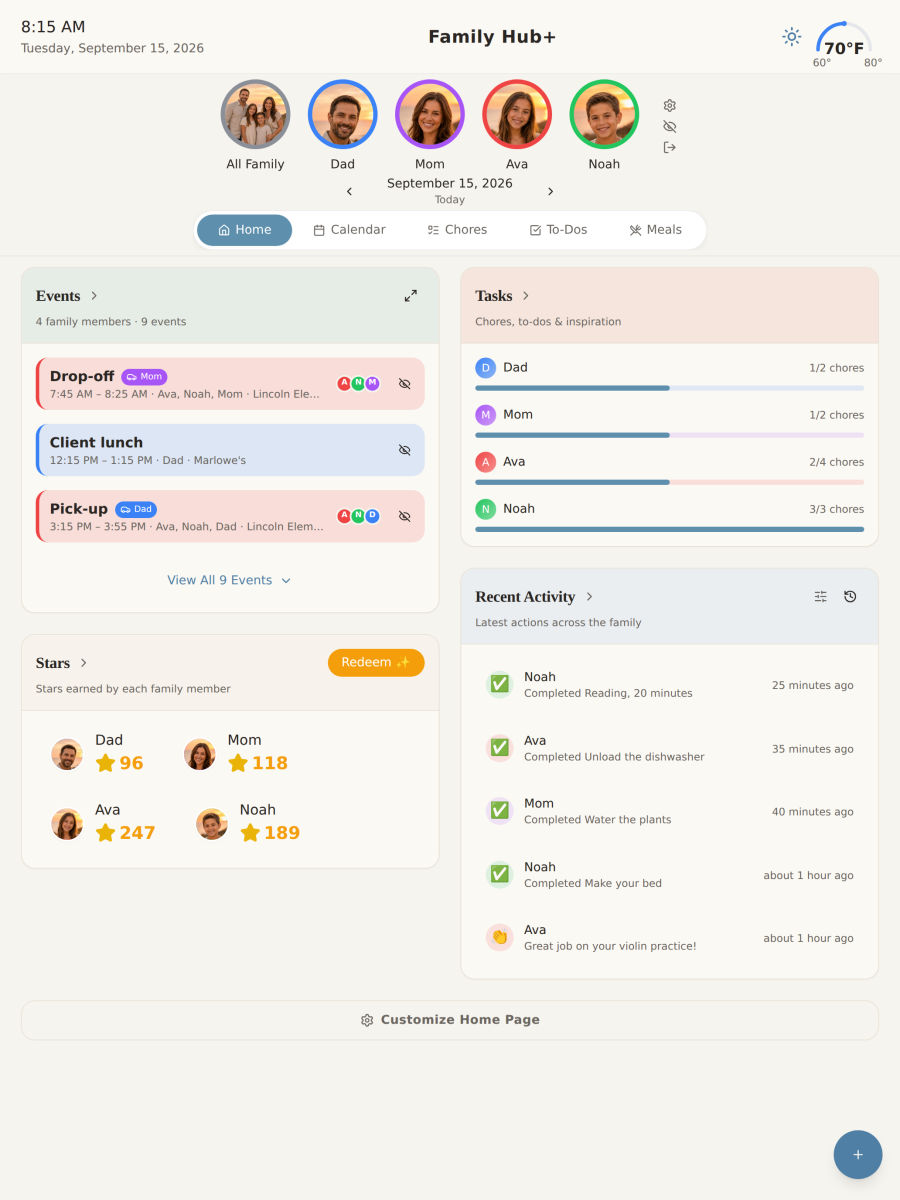
The kitchen iPad

Hang it where everyone walks past

Put an iPad on the kitchen wall and it becomes the family's board: today's plans, whose turn it is, what's for dinner — seen on the way out the door, not buried in one person's phone.

  • Everyone sees the same day — kids check their own chores without asking.
  • Stays up to date on its own, and a screensaver with the time takes over when nobody's using it.
  • Hide it in one tap behind a picture when guests come over.
The calendar

One calendar, colour-coded by person

Connect the calendars you already use. Everyone's events land in one view, each in their own colour, on every device in the house.
  • Google and Outlook, both ways. Add an event here and it shows up there.
  • Who's driving. The question that actually causes the argument, answered on the event itself.
  • Choose what syncs. Your work calendar doesn't have to be everyone's business.
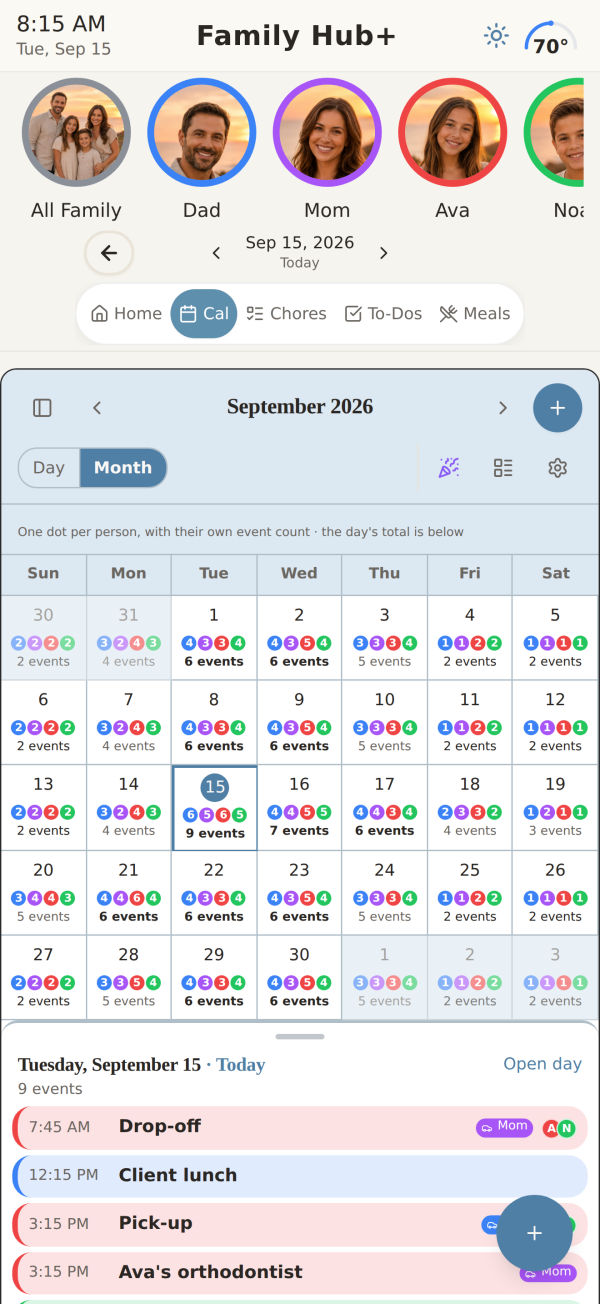
Month, on a phone
Month, on a phoneA dot per person, sized by how much of the day is theirs
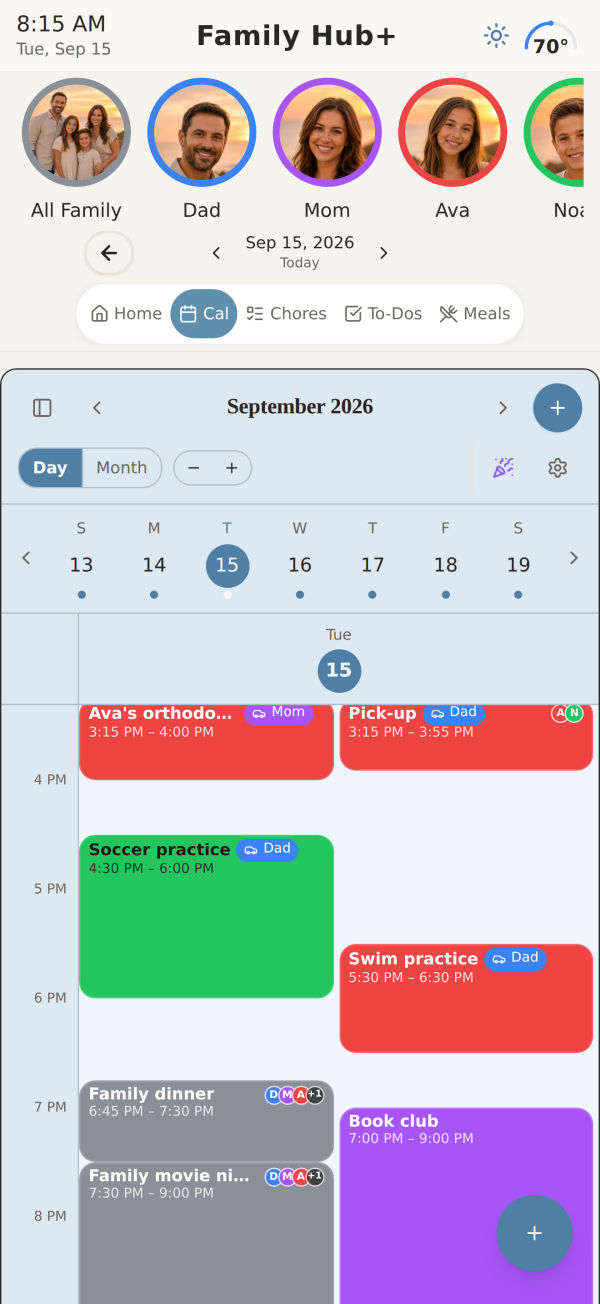
Today, hour by hour
Today, hour by hourWho's driving, who's going, and what overlaps
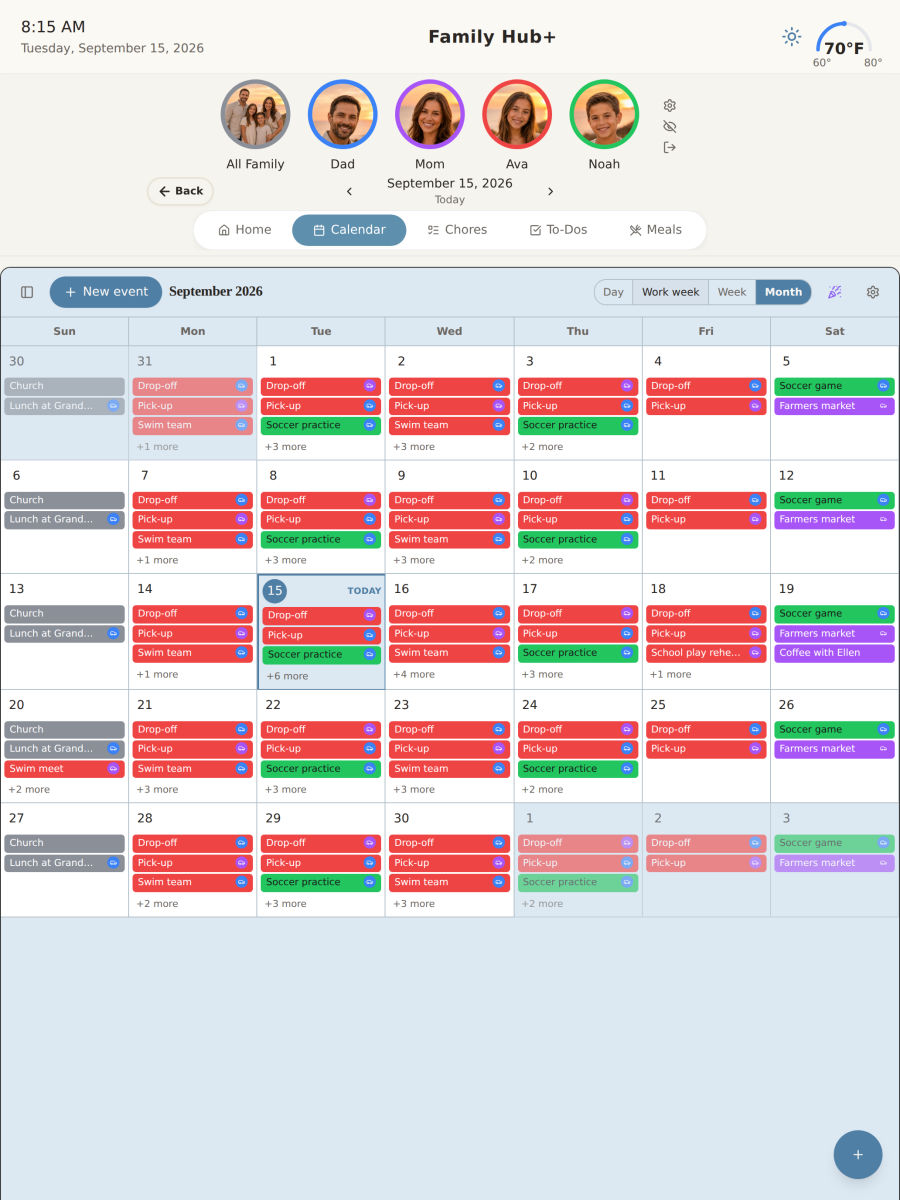
Month, on the iPad
Month, on the iPadThe whole month with every event named
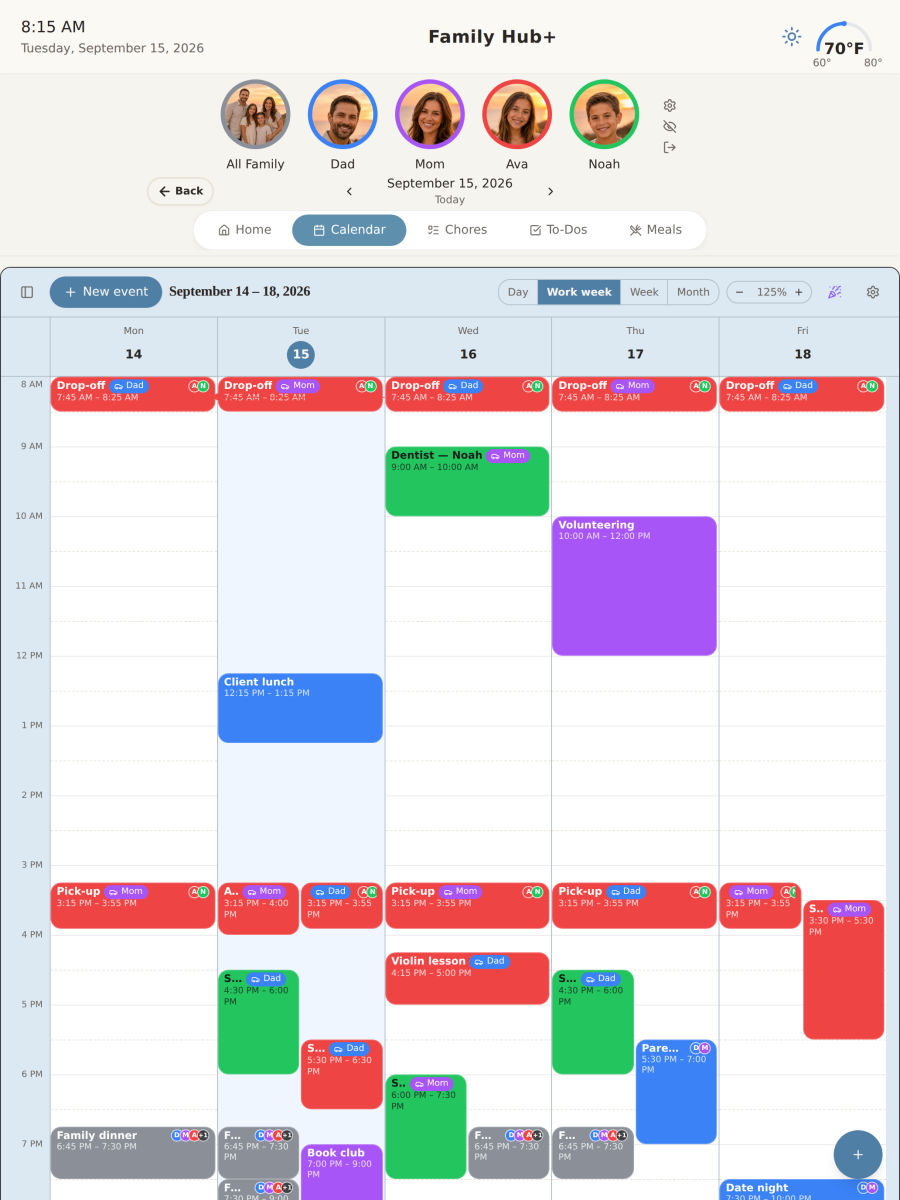
The working week
The working weekFive columns wide enough to read at a glance
Chores & stars

Stop being the one who has to ask

Everyone can see their own list. Finishing it earns stars, and stars turn into the things they actually want — screen time, a payout, whatever you decide.
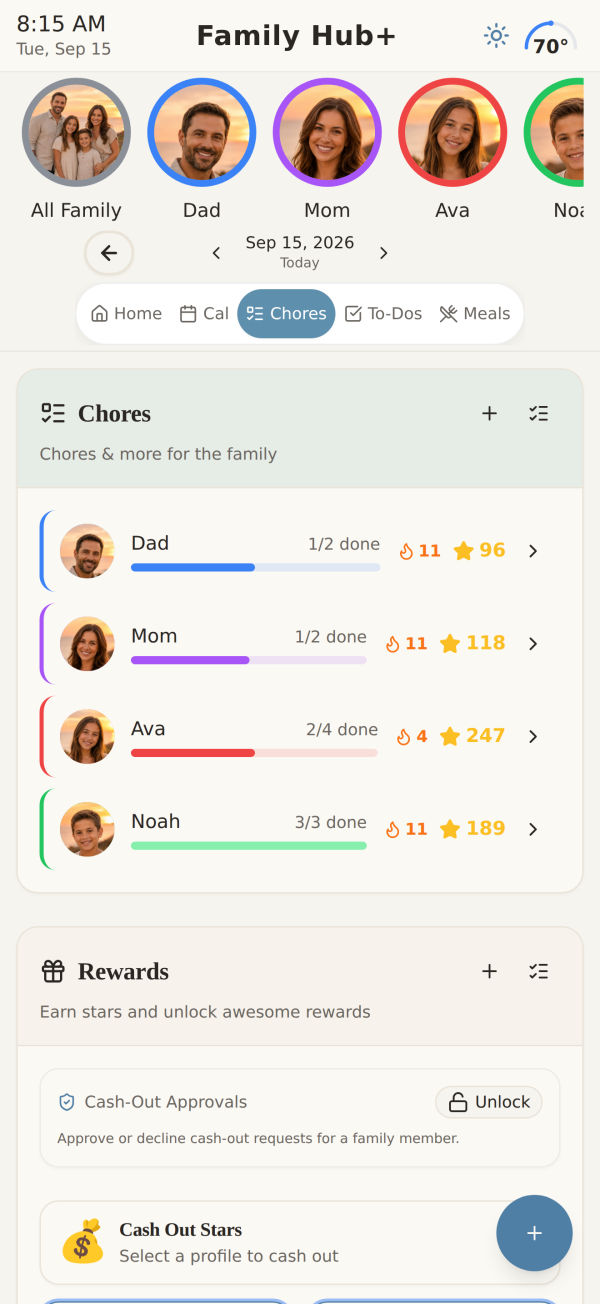
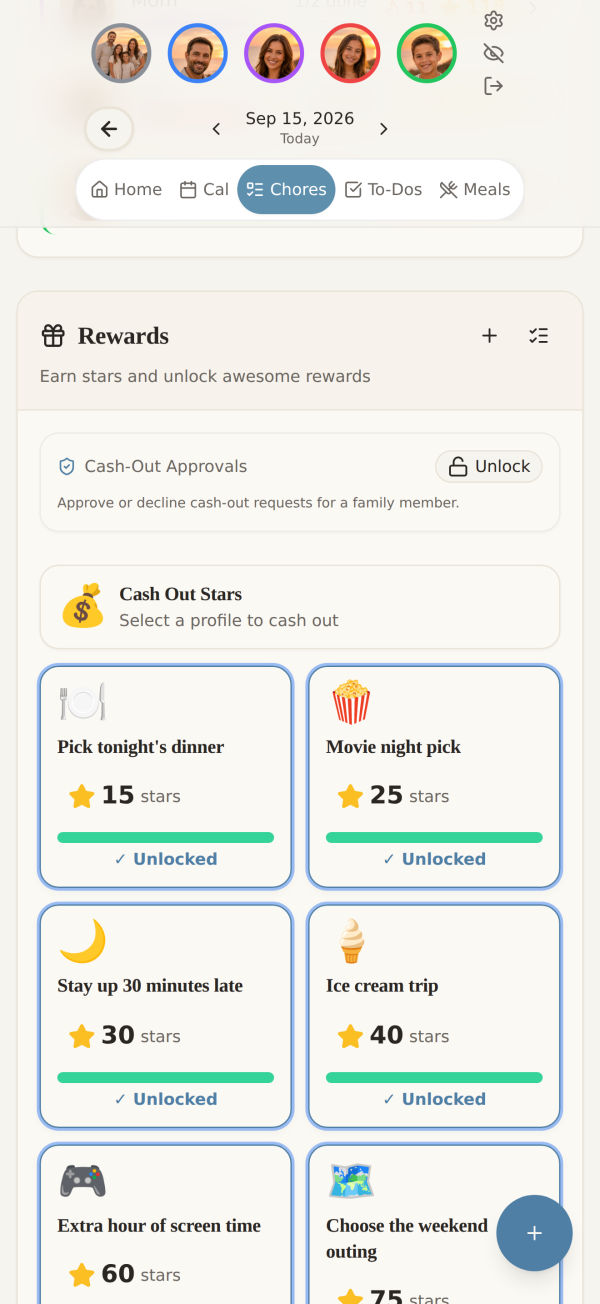
  • Set it once. Chores repeat on the days you choose, for the people you choose.
  • Rewards you set the price of. Or cash out stars for real money at your rate.
  • A parent PIN on anything you'd rather a nine-year-old couldn't change.
Everyone's progress
Everyone's progressEach person's chores, stars and streak in one list
What the stars buy
What the stars buyA shelf you set the prices on, from small to worth saving for
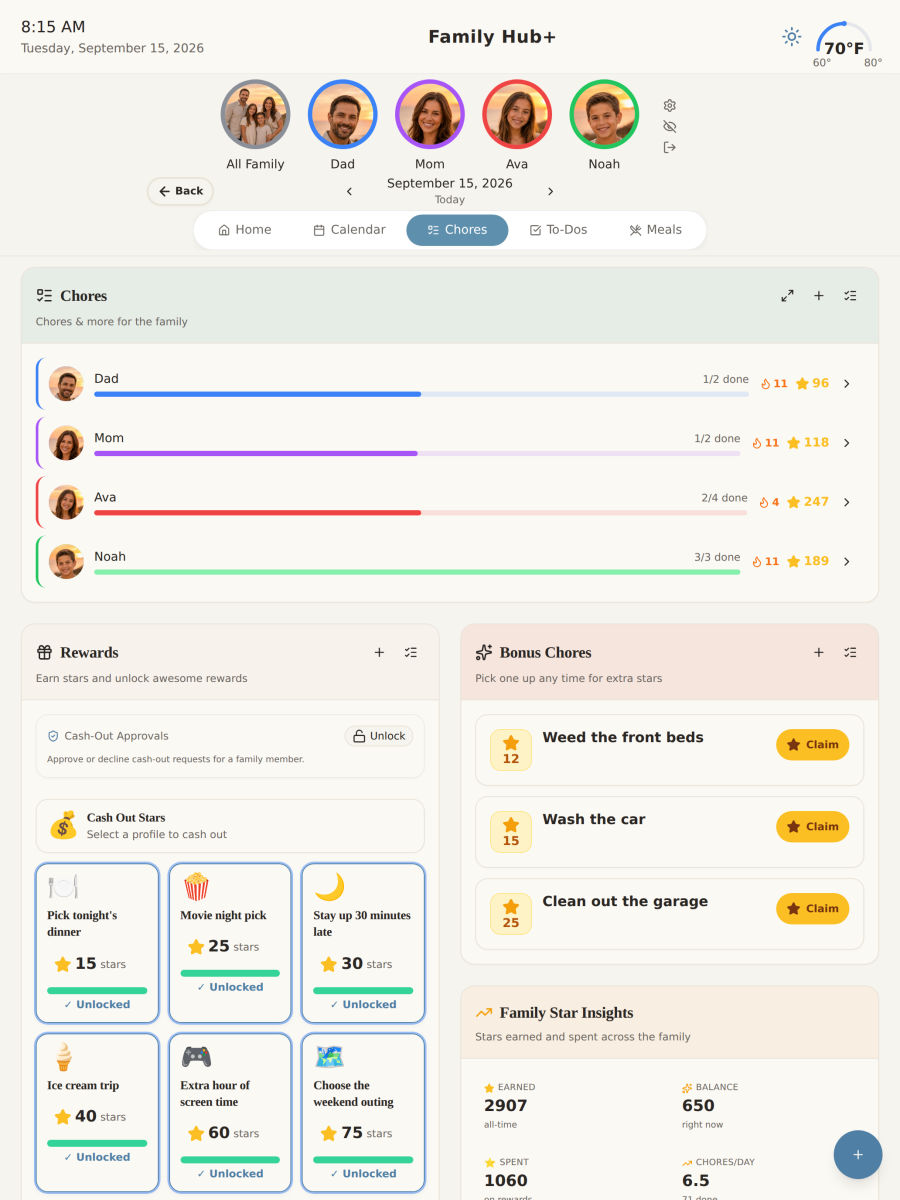
The whole picture on iPad
The whole picture on iPadChores, rewards, bonus jobs and star insights together
Meals & groceries

Answer "what's for dinner" once a week

Plan the week, and the grocery list builds itself from what you planned — sorted by aisle, so you're not doubling back for the milk.
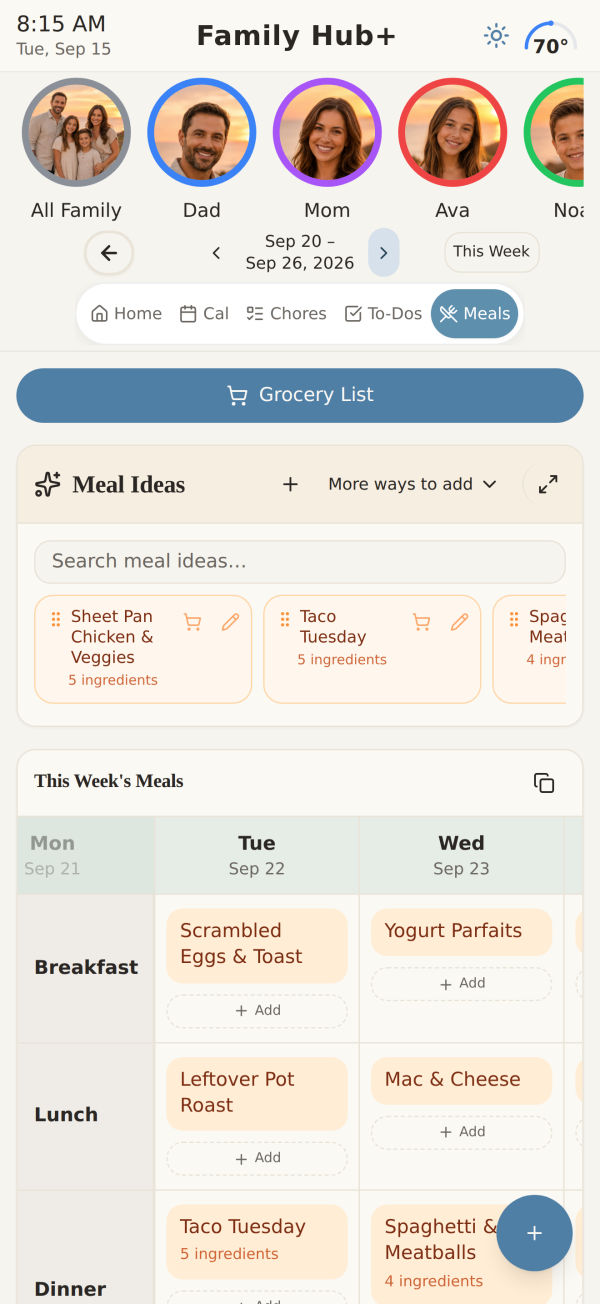
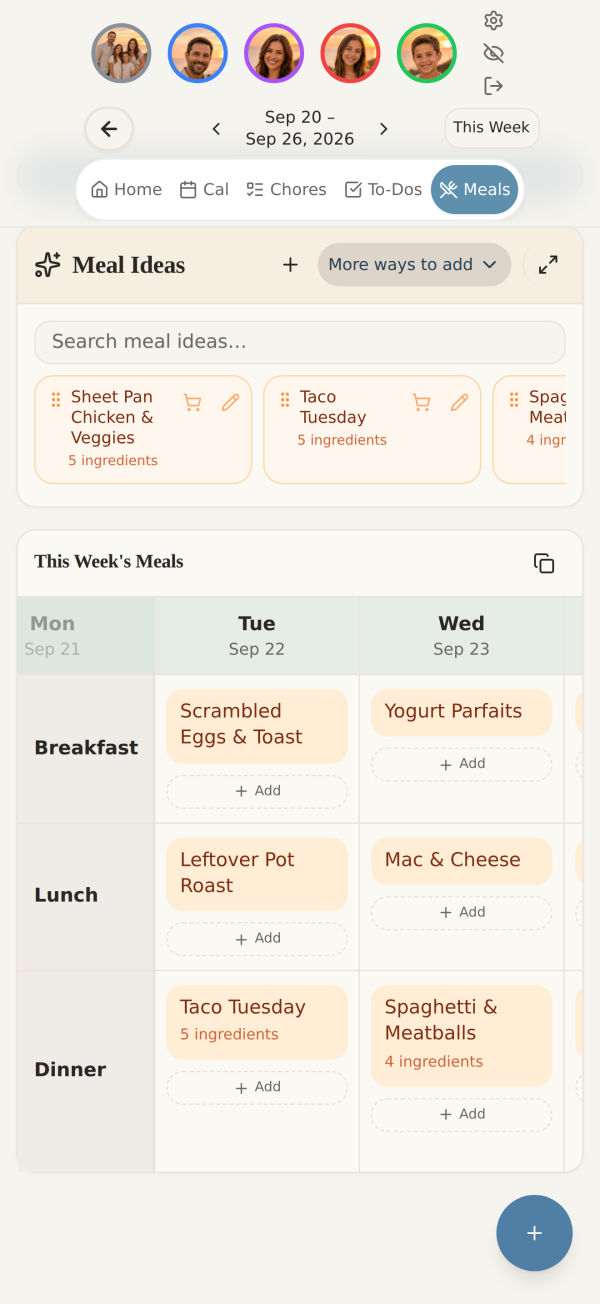
  • Snap a recipe. Photograph a cookbook page or a card in your grandmother's handwriting, and it's saved.
  • Paste a link. Most recipe sites come straight in, ingredients and all.
  • 200+ ideas built in for the nights when nobody can think of anything to cook.
A week of meals
A week of mealsBreakfast, lunch and dinner planned in one grid
Built from your own ideas
Built from your own ideasSaved recipes drop straight onto a day
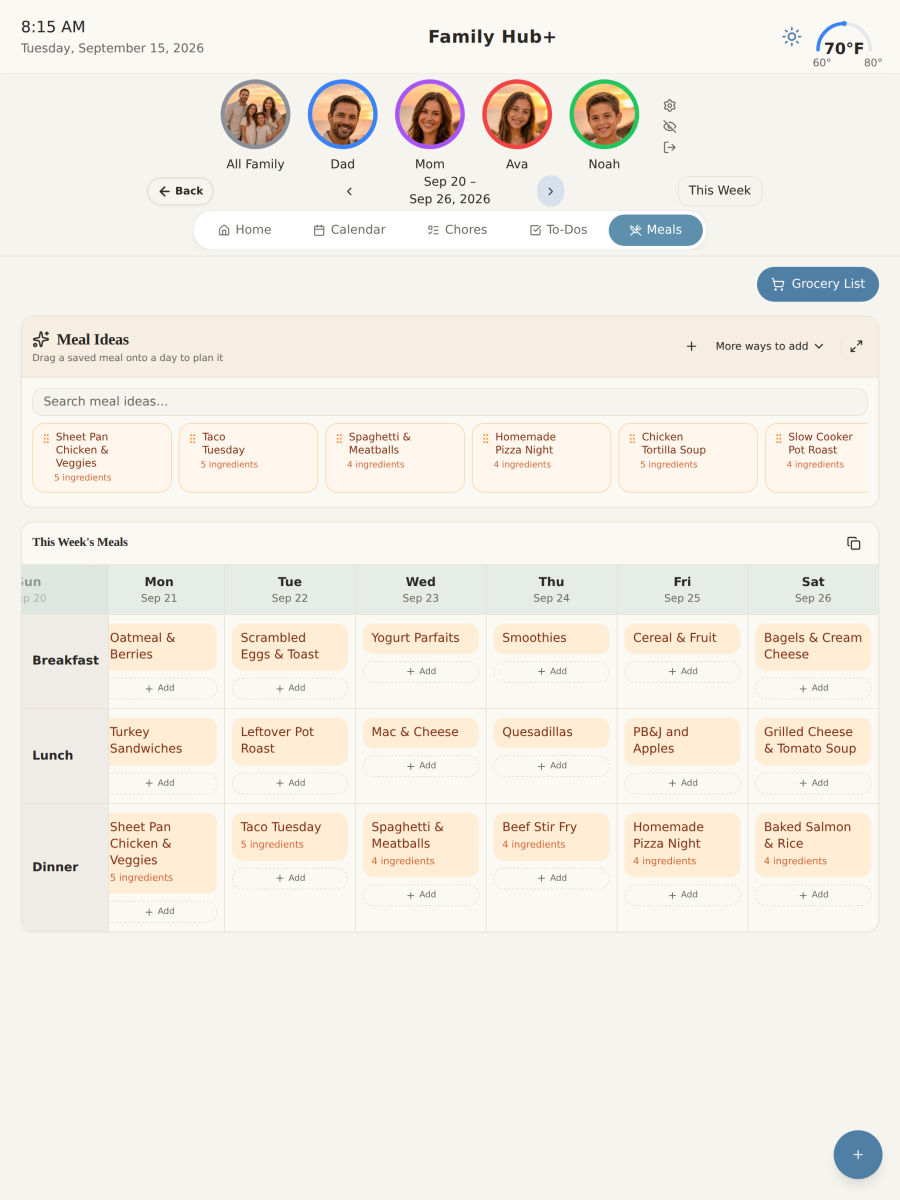
Planning on the iPad
Planning on the iPadThe full week without scrolling sideways
Celebrations

Remembered early enough to do something about it

Most reminders tell you about a birthday the morning of, which is the one moment you can't act on it. Family Hub+ works backwards from the date instead.
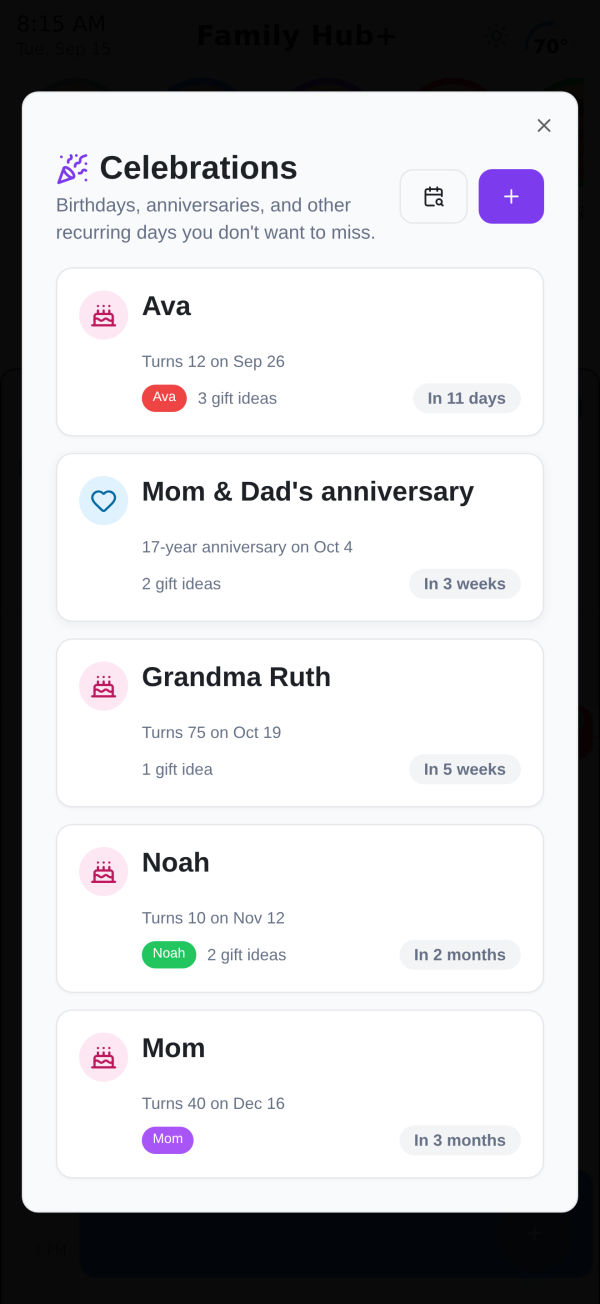
  • Thirty days out, while there's still time to order something or book the table.
  • A week before, the day before, the day itself. Check it off early and it still comes back when it matters.
  • Everyone gets the reminder, so remembering isn't one person's job any more.
Counted down, not announced
Counted down, not announcedEvery birthday and anniversary with the days left beside it
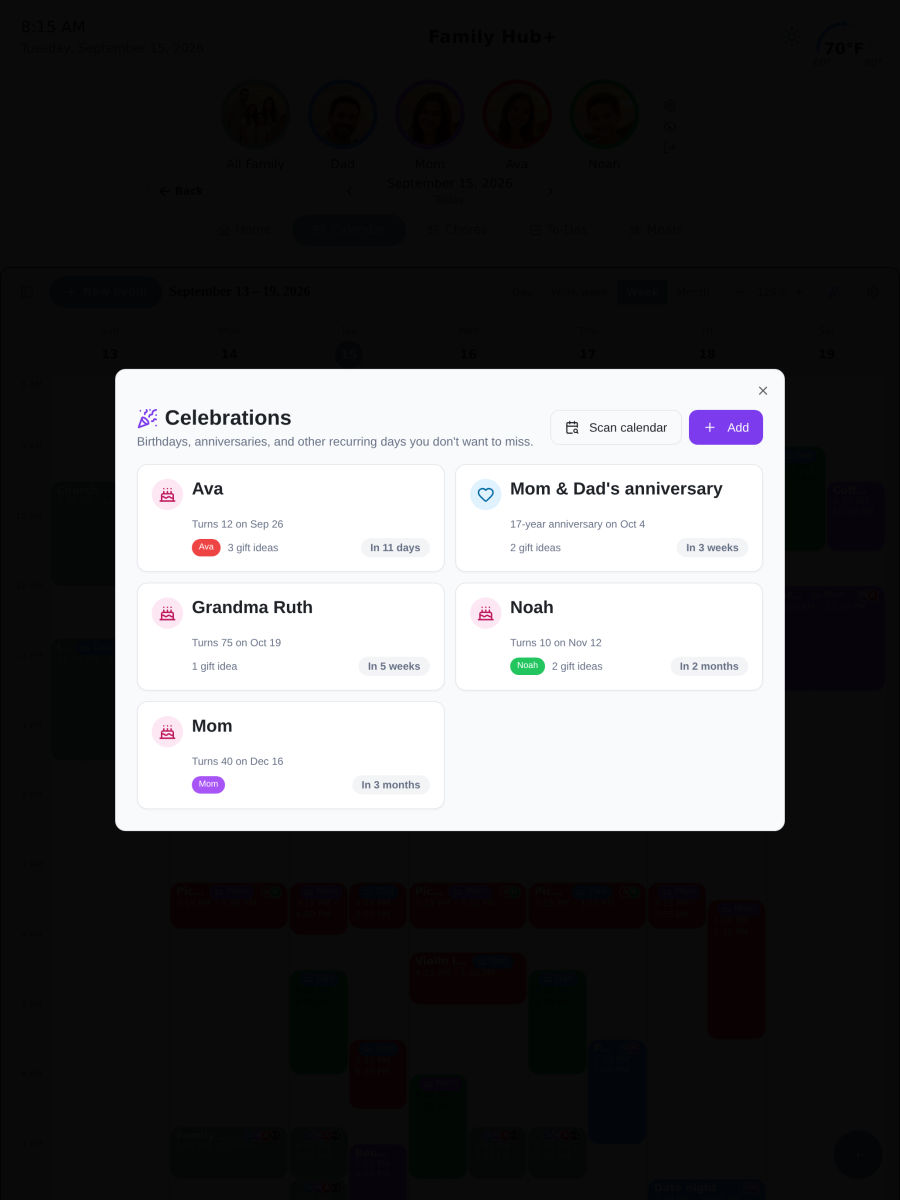
Gift ideas kept with the date
Gift ideas kept with the dateSo the planning happens while there is still time

And the rest of what a household carries

Health reminders

Reminders for medications and appointments. Snooze one and it comes back, and you can see what was taken and when.

To-dos

The jobs that don't repeat. Break a big one into steps and tick them off as you go.

Notes and praise

A note for one person or the whole house. Catch someone doing something right and everyone sees it.

Family activity

A record of who did what, and when — easy to check when someone's sure it wasn't their turn.
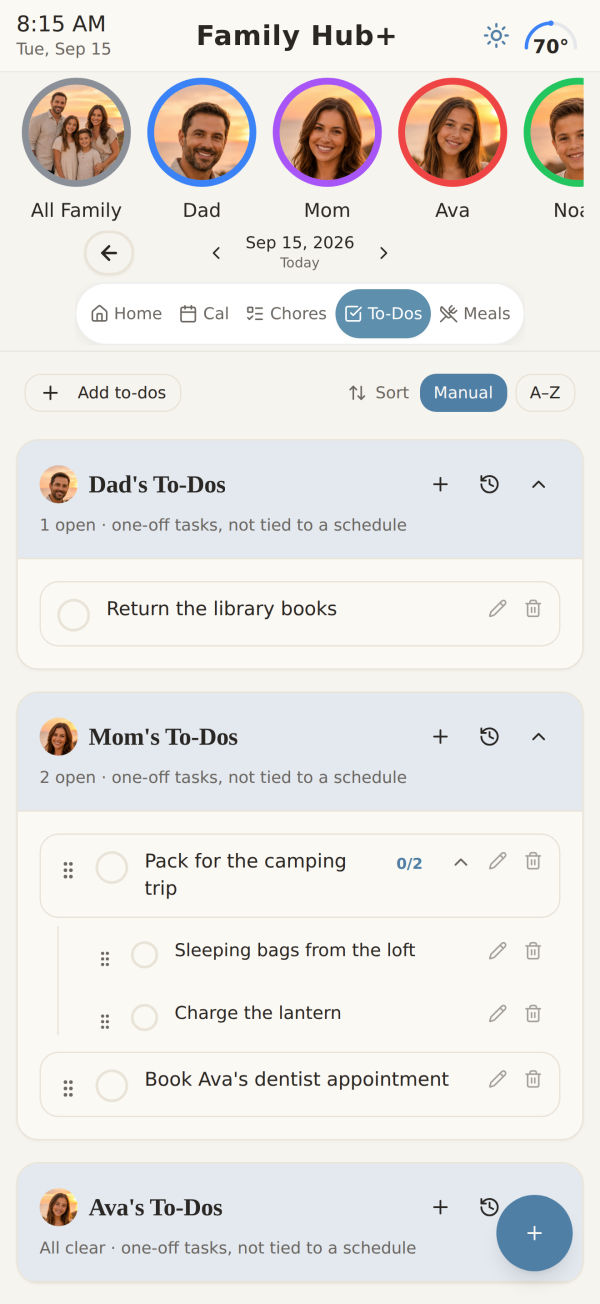
To-dos, with sub-tasks
To-dos, with sub-tasksThe one-off jobs, broken down when they need it
Achievements
AchievementsMilestones worth noticing, kept where the family can see them

Set up in about ten minutes

The part people dread is getting everyone else on board. The walkthrough does most of it with you, and the rest of the family joins with a code.

  1. 1

    Add the people

    Names, colours, and who's a parent. Kids don't need their own email address.

  2. 2

    Connect the calendar you already use

    Google or Outlook, both directions. Choose which of your calendars the family can see.

  3. 3

    Share the family code

    Everyone installs the app and enters one code. No accounts to create for them, nothing to pay per person.

Your family's day is not a data set

No ads. No trackers. Nothing sold.

There is no advertising business here to feed. Family Hub+ is paid for by the families who use it, which is the whole reason it can be built for them.

Children's data, handled properly

Child profiles have a real parental-consent step, and every profile and account can be deleted from inside the app — not by emailing someone and hoping.

The hard part isn't doing it all. It's keeping track of it all.

Family Hub+ was built around that. Everything the household is carrying — who's where, what's for dinner, whose turn it is, whose birthday is coming — lives in one place everyone can see, instead of in one person's head.

Get it out of your head
and somewhere everyone can see it

Free for 14 days, no card up front. Set up your family in about ten minutes, and see whether it holds before you decide anything.

  • One account covers everyone in the house
  • Cancel from inside the app, in two taps
  • iPhone and iPad, plus the web for parents

Already set up? Sign in on the web.